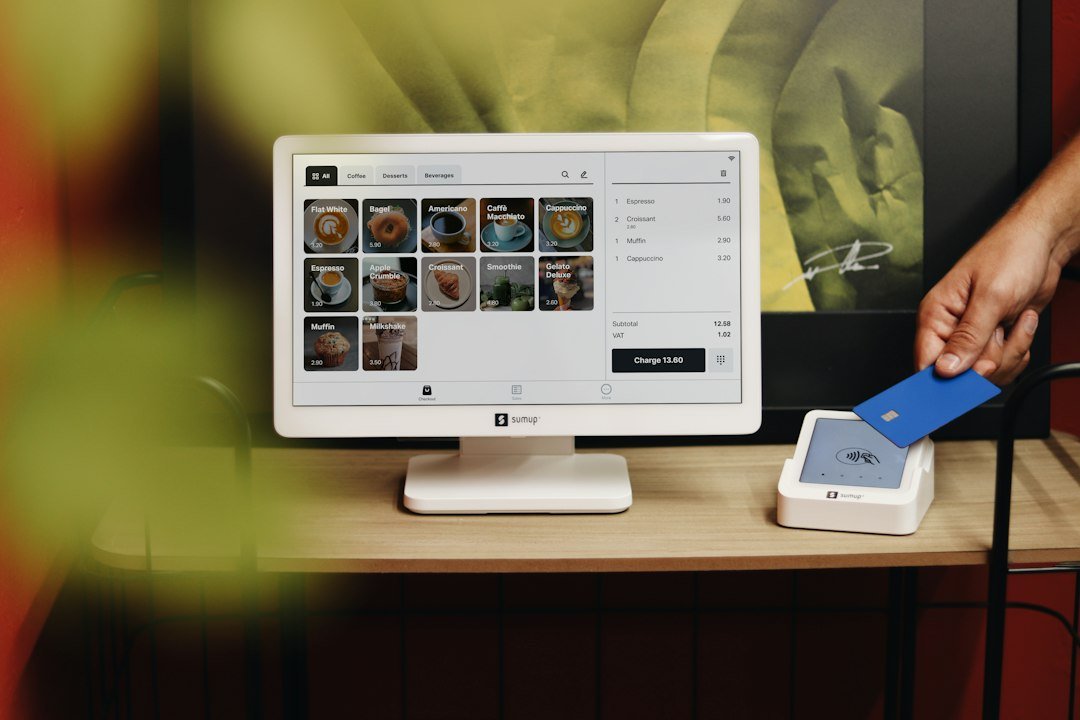
So, you’re searching for a WordPress booking plugin for your small business? The brief answer is, it relies on your requirements. There’s no universal “best” plugin, since every business has distinct needs. This guide will explore some of the top options, emphasizing their practical features & ideal users, enabling you to choose wisely without being overwhelmed by promotional content.
Let’s be honest, handling appointments by hand can consume a lot of time. Whether you’re a freelance consultant, a nearby salon, or a yoga studio, juggling calls, emails, and paper schedules is inefficient and prone to mistakes. A solid booking plugin automates much of this work, freeing you to concentrate on what matters most—running your business. Beyond saving hours, these tools add a professional feel.
For small businesses looking to enhance their online presence, utilizing a WordPress Booking Plugin can be a game-changer. This practical guide not only covers the essential features and benefits of such plugins but also highlights how they can streamline appointment scheduling and improve customer engagement. To further explore the digital landscape and discover the latest trends and success strategies for hosting that can complement your booking system, check out this insightful article on the best trends and success strategies for hosting.
Clients can schedule at their convenience, even outside your operating hours, which can boost your bookings. Moreover, features like automatic reminders cut down on no-shows, directly affecting your profits. It’s about simplifying operations and enhancing the customer experience, all from your WordPress site. Before exploring specific plugins, it’s useful to know which features generally matter. Not every business needs every option, but having a checklist can steer your choice.
1.
Simplicity for You and Your Customers
This is key. If the plugin is awkward for you to set up and manage, you’ll avoid it. If it’s confusing for customers, they’ll quit the booking process. Seek out user-friendly interfaces, clear navigation, and a simple booking flow.
2. Customization Options
Your booking form should mirror your brand. Can you adjust colors, fonts, and add your logo?
If you’re looking to streamline your appointment scheduling, consider using a WordPress Booking Plugin. This tool can help manage bookings efficiently on your website. Enhance your customer experience by integrating a reliable WordPress Booking Plugin today.
More importantly, can you tailor the form fields to gather the exact info you need from clients?
3. Payment Gateway Integration
If you plan to accept payments upfront or deposits, confirm the plugin works with popular gateways like PayPal, Stripe, or Square. This greatly simplifies the financial side.
4. Calendar Synchronization
Automatically syncing bookings with your personal or work calendar (Google Calendar, Outlook, etc.) saves a lot of time.
If you’re exploring the benefits of a WordPress booking plugin for small businesses, you might also find it helpful to read about the importance of web hosting in enhancing your online presence. A reliable web hosting service can significantly impact your website’s performance and user experience, which is crucial for any booking system. For more insights, check out this article on unlocking web hosting’s power to ensure your business thrives online.
It helps avoid double-bookings and keeps your schedule tidy.
5. Automated Notifications and Reminders
Email and SMS alerts for bookings, cancellations, & reminders are vital. They reduce no-shows & keep clients informed, boosting their experience.
6. Staff Management
If you have multiple team members, each with their own services and availability, you’ll need a plugin that handles this.
Look for features like staff profiles, individual calendars, and service assignments.
7. Service and Resource Management
Can you easily define different services, set their lengths, prices, and availability? If you have limited resources (e.g., treatment rooms, gear), can the plugin manage them to prevent overbooking?
8. Reporting and Analytics
Understanding your booking patterns can guide smarter business choices.
Look for plugins that offer insights into popular services, peak times, and customer data. Here’s a look at some of the top WordPress booking plugins, highlighting their strengths and ideal users.
1. Amelia
Amelia is a feature-rich booking plugin that’s visually attractive and surprisingly powerful. It’s designed to be sleek and up-to-date, offering a great experience on both the front and back end.
What Amelia Excels At
Amelia stands out with its modern design and broad feature set. It provides a very intuitive interface for setting up services, staff, and managing appointments. Customers enjoy the neat and simple booking process.
You can easily handle multiple employees, locations, & services. It includes features like recurring bookings, group appointments, event management, and WooCommerce integration for more payment options. The dashboard offers clear views of your business performance. Who Amelia Suits Best
This plugin is perfect for businesses needing a robust, all-in-one solution with a focus on appearance and user experience. Think salons, spas, fitness centers, consultants, and even medical clinics that want a professional & smooth booking system.
If you value a polished look and extensive features without assembling multiple plugins, Amelia is a strong option. It’s especially good for businesses with multiple staff or locations. Potential Drawbacks
Although powerful, Amelia’s many features might feel excessive for someone needing a very basic solution. Its pricing is also higher than some simpler choices, but you get good value for the cost.
2.
Bookly
Bookly is one of the most widely used booking plugins on the market, for good reason. It’s highly customizable, feature-rich, & works well for many business types. What Bookly Excels At
Bookly offers immense flexibility. You can tweak nearly every part of the booking process, from form fields to design.
It supports a wide range of services, staff, and schedules. Key features include automated SMS & email notifications, Google Calendar sync, WooCommerce integration, & many add-ons to expand functionality (e.g., payments, group bookings, customer reviews). Its reporting tools are also quite detailed, helping you monitor business performance. Who Bookly Suits Best
Bookly is great for businesses needing a highly customizable system with room to expand.
If you have specific, perhaps complex, booking needs or want to fine-tune the user experience, Bookly provides the tools. It’s suitable for almost any service-based business, like healthcare providers, schools, personal trainers, and repair shops, especially those who value detailed control. Potential Drawbacks
The many options and add-ons can make initial setup a bit complex, especially for WordPress newbies.
While there’s a free version, many essential features and integrations require paid add-ons or the Pro version, which can increase costs.
3. Simply Schedule Appointments
Simply Schedule Appointments aims to live up to its name by offering a straightforward, easy-to-use booking experience. It focuses on simplicity without losing essential features. What Simply Schedule Appointments Excels At
This plugin makes the booking process quick and easy for both admins & clients. The setup wizard guides initial configuration, and the interface is clean and intuitive.
It integrates well with tools like Google Calendar, Mailchimp, and Zapier. You can set up various appointment types, customize forms, and send automated notifications. For many small businesses, its core features are more than enough. Who Simply Schedule Appointments Suits Best
Simply Schedule Appointments is ideal for small businesses or individuals needing a reliable, no-fuss system without extra complexity.
If you’re a consultant, tutor, coach, or small service provider with a relatively simple booking process, this plugin offers great value. It’s particularly good for those not very tech-savvy who want something that “just works.”
Potential Drawbacks
While simplicity is a strength, it may lack some advanced features found in more comprehensive plugins, like extensive staff management or complex scheduling rules. If your business grows and requires intricate booking logic, you might eventually need a more robust option.
4. Booked
Booked is another popular choice that balances features with a user-friendly interface. It’s a solid all-around option for many small businesses. What Booked Excels At
Booked offers a clean, modern booking calendar that’s easy for customers to use.
It provides guest booking (no account needed), multiple calendar support, custom time slots, and custom fields for forms. It integrates with Google Calendar and allows front-end booking management by logged-in users. You can also assign agents (staff) to specific calendars or services. Its design is responsive, looking good on any device. Who Booked Suits Best
Booked is a good fit for businesses needing a reliable, moderately-featured system without a high cost.
It works well for hair salons, fitness instructors, photographers, and small event organizers. If you need a solid foundation for booking with some flexibility but don’t require the most advanced features, Booked offers a good balance. Potential Drawbacks
While it has decent features, some advanced options, like detailed payment tools or extensive group booking features, may need extra plugins or custom work. Its main strength is in individual appointment scheduling rather than complex event management.
5. StartBooking
StartBooking is a relatively newer option that focuses on a streamlined experience and modern design.
It offers both appointment & class booking functions. What StartBooking Excels At
StartBooking stands out with its modern interface and smooth user experience. It supports both one-on-one appointments and group classes, great for fitness studios, workshops, or educational services. Key features include custom booking forms, staff management, calendar sync, and integrations with payment gateways like Stripe. The setup process is intuitive, & the front-end booking flow is very clean for customers.
FAQs

1. Can a WordPress booking plugin be customized to match my small business branding?
Yes, most WordPress booking plugins offer customization options such as color schemes, fonts, and the ability to add your logo. This allows you to tailor the booking system to align with your small business branding.
2. Is it possible to set up different services with varying durations and prices using a WordPress booking plugin?
Yes, a good WordPress booking plugin will allow you to create multiple services with unique durations, prices, and descriptions. This flexibility enables you to offer a range of services to your customers.
3. Can customers cancel or reschedule appointments through a WordPress booking plugin?
Yes, many WordPress booking plugins come with features that allow customers to easily cancel or reschedule their appointments. This helps in reducing no-shows and provides a convenient experience for your clients.
4. Is it possible to integrate a WordPress booking plugin with my Google Calendar or other calendar applications?
Yes, several WordPress booking plugins offer integrations with popular calendar applications like Google Calendar. This synchronization ensures that your appointments are automatically updated across all platforms, helping you stay organized.
5. Are there WordPress booking plugins that offer payment processing capabilities for small businesses?
Yes, some WordPress booking plugins come with built-in payment processing features, allowing you to accept online payments for appointments. This streamlines the booking process and helps in improving your small business’s cash flow.