


Automating client scheduling is a game-changer for coaches and trainers, allowing you to reclaim precious time and focus on what you do best: helping your clients achieve their goals. The simplest answer is that it involves using specialized software to manage appointment bookings, reminders, and even payments, all without constant manual intervention. This frees you from the endless back-and-forth emails and calls, ensuring a smoother experience for both you and your clients.
Let’s be honest, manually juggling calendars, checking availability, and sending reminder emails is a time sink. Automating these tasks isn’t just about convenience; it’s about optimizing your business.
Reclaim Your Time
Imagine how much more coaching you could do, or how much more time you could spend on program development, if you weren’t spending hours each week on administrative tasks. Automated scheduling gives you back those hours. It also reduces the mental load of constantly having to remember who booked what and when.
Boost Client Experience
A smooth booking process is a major win for your clients. They can see your real-time availability, book at their convenience, and receive automated confirmations and reminders. This professional, efficient approach enhances their overall experience and reduces no-shows. No more waiting for you to reply to an email to confirm a slot.
Reduce No-Shows and Cancellations
Automated reminders are incredibly effective. A friendly text or email reminding clients of their upcoming session significantly decreases the chances of them forgetting. Some systems even allow for automated rescheduling, making it easier for clients to adjust their appointments without needing to contact you directly.
Professionalism and Brand Image
Using a professional scheduling system elevates your business’s image. It shows you’re organized, tech-savvy, and value your clients’ time. This can be a subtle yet powerful differentiator in a competitive market.
Gain Valuable Insights
Many scheduling tools offer reporting features. You can track booking trends, peak times, client attendance rates, and even revenue. This data is invaluable for making informed business decisions, like adjusting your pricing or service offerings.
In the ever-evolving landscape of client management, coaches and trainers are increasingly turning to automation tools to streamline their scheduling processes. A related article that delves into the broader implications of technology in client interactions is available at Getting Around in the Future: The Best Trends and Success Strategies for Hosting. This piece explores various trends and strategies that can enhance client engagement and operational efficiency, making it a valuable resource for professionals looking to optimize their practices.
Choosing the Right Scheduling Tool: What to Look For
The market is flooded with scheduling software, so picking the right one can feel a bit overwhelming. Here’s a breakdown of what to prioritize.
Ease of Use for Both You and Your Clients
This is paramount. If the system is too complicated for you to set up or for your clients to use, it defeats the purpose. Look for intuitive interfaces, clear navigation, and minimal clicks to book an appointment.
- For You: Can you easily set your availability, add different service types, and manage client profiles?
- For Clients: Is the booking page straightforward and mobile-friendly? Can they easily see available slots and book without creating an account (unless you require it)?
Customization Options
Your coaching business is unique, and your scheduling tool should reflect that.
- Service Offerings: Can you list different coaching packages, session lengths, and pricing?
- Branding: Can you add your logo, brand colors, and custom messaging to the booking page and communications?
- Availability: Can you set recurring availability, block out personal time, and manage holidays easily?
Integration Capabilities
A truly effective scheduling system doesn’t operate in a vacuum.
- Calendar Sync: Essential for avoiding double bookings. It should integrate seamlessly with your Google Calendar, Outlook Calendar, or Apple Calendar.
- Payment Processing: If you take payments upfront or require deposits, ensure the system integrates with popular payment gateways like Stripe or PayPal.
- Video Conferencing: For online coaches, direct integration with Zoom, Google Meet, or similar platforms saves a ton of hassle by automatically generating meeting links.
- CRM/Email Marketing: While not always a deal-breaker, integration with your CRM or email marketing platform can streamline client communication and follow-ups.
Communication Features
Automated communication is a cornerstone of efficient scheduling.
- Automated Confirmations: Immediate confirmation emails after booking.
- Reminder Emails/SMS: Customizable reminders before appointments.
- Follow-up Messages: Options for post-session feedback or next-step suggestions.
- Cancellation/Rescheduling Notifications: Clear communication about any changes.
Pricing Structure
Scheduling tools come with various pricing models.
- Free Tiers: Some offer basic free versions, which can be a great starting point for solo coaches with limited needs.
- Subscription Plans: Most robust tools operate on monthly or annual subscriptions, often tiered based on features, number of clients, or users.
- Hidden Costs: Be aware of potential transaction fees if the platform processes payments.
Setting Up Your Automated Scheduling System
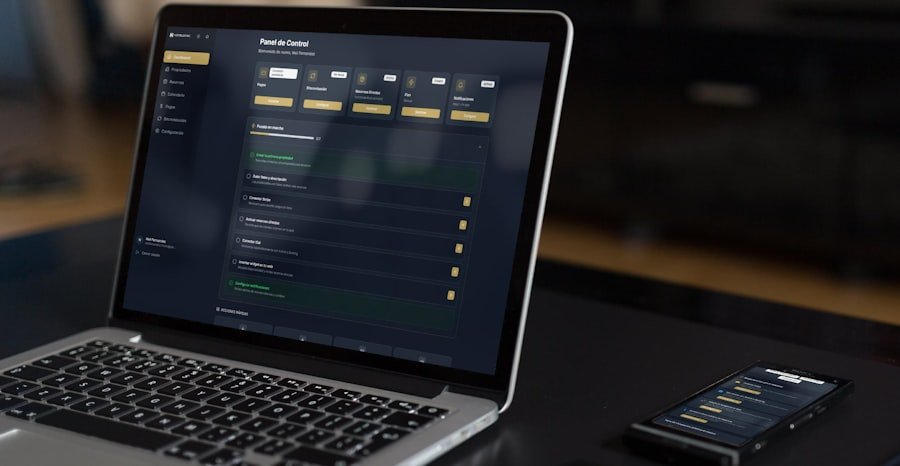
Once you’ve chosen a tool, the setup process is crucial for a smooth launch. Don’t rush this part; a little attention to detail now will save you headaches later.
Define Your Services and Availability
This is where you tell the system what you offer and when you’re available to offer it.
- Create Service Types: List all your coaching packages or session types (e.g., “60-Minute Discovery Call,” “30-Minute Check-in,” “90-Minute Strategy Session”). Include descriptions, durations, and pricing.
- Set Your Working Hours: Clearly define your weekly availability. Be realistic – don’t overschedule yourself. Remember to factor in breaks and buffer time between sessions.
- Block Out Personal Time: Use the system to block off holidays, vacations, or personal appointments so clients can’t book during those times.
Configure Your Booking Page
This is your clients’ gateway to booking with you, so make it inviting and informative.
- Personalize Your Page: Add your logo, a professional headshot, and a brief welcome message. Use your brand colors if the system allows.
- Clear Instructions: Provide concise instructions on how to book.
- Frequently Asked Questions (FAQs): Consider adding a small FAQ section on the booking page to address common queries about your services or the booking process.
- Link Placement: Decide where you’ll share your booking link – on your website, in your email signature, on social media, etc.
Customize Automated Communications
This is where the system truly works its magic.
- Confirmation Messages: Craft clear and friendly confirmation emails/SMS messages. Include the date, time, and any essential information (e.g., Zoom link, preparation instructions).
- Reminder Messages: Set up reminders to go out a day or a few hours before the session. A gentle nudge can significantly reduce no-shows.
- Cancellation/Rescheduling Policies: Clearly state your policies within your communications to manage expectations.
- Follow-up Messages: Consider automated follow-ups to gather feedback or provide resources after a session.
Integrate Your Calendar and Payment Processor
These integrations are critical for seamless operation.
- Calendar Sync: Connect your scheduling tool to your primary calendar (Google, Outlook, Apple). This prevents double bookings by automatically blocking out times you’re busy elsewhere.
- Payment Gateway: If you take payments through the system, link your Stripe, PayPal, or other preferred payment processor. Test it thoroughly to ensure transactions go through smoothly.
Sure, here is the sentence with the clickable link:
I highly recommend using a WordPress Booking Plugin for your website to streamline your booking process.
Best Practices for Maximizing Your Scheduling Automation
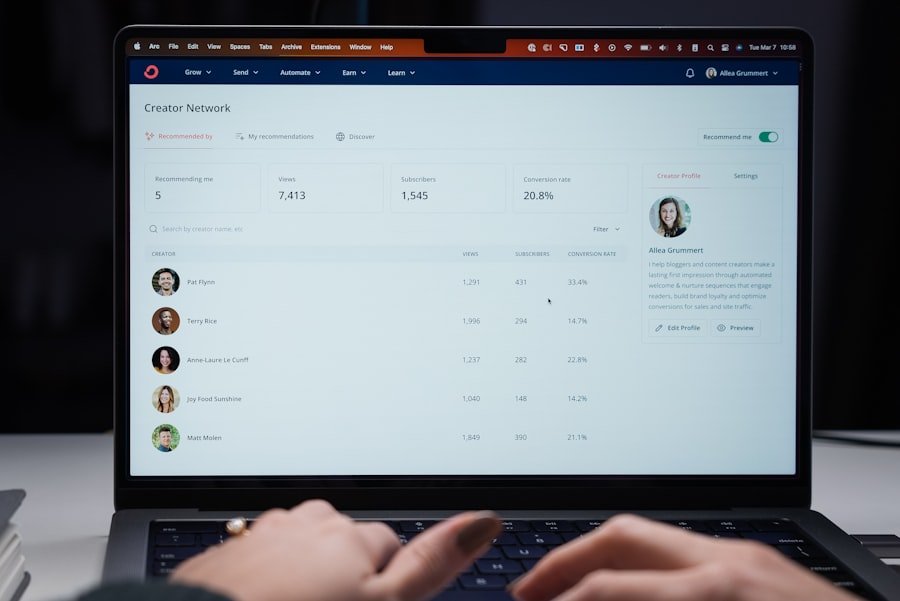
Setting up the system is just the first step. To truly get the most out of it, adopt these best practices.
Be Crystal Clear About Your Policies
Don’t leave clients guessing. Your booking page and confirmation emails should clearly outline:
- Cancellation Policy: How much notice is required? Are there fees?
- Rescheduling Policy: How can clients reschedule? What are the limits?
- Refund Policy: If applicable, what are the terms?
- No-Show Policy: What happens if a client misses their appointment?
Set Buffer Times Between Appointments
Avoid back-to-back bookings, especially if you’re an online coach. Building in buffer time allows you to:
- Decompress: Mentally prepare for the next client or reflect on the previous one.
- Handle Technical Glitches: A few extra minutes can be a lifesaver if your internet acts up or Zoom needs an update.
- Take a Break: Grab a drink, stretch, or simply step away from your screen.
Regularly Review and Adjust Your Availability
Your schedule isn’t static, and neither should your automated availability be.
- Seasonal Changes: Adjust for busier or slower periods.
- Personal Commitments: Block out time for personal events, family time, or self-care.
- Energy Levels: Schedule your most demanding sessions during your peak energy times.
Leverage Group Coaching and Workshops
Many scheduling tools offer features for group bookings. This can be a huge time-saver if you run workshops, webinars, or group coaching programs.
- Create Group Events: Set up a single booking page for a group event, allowing multiple clients to register for the same time slot.
- Automate Class Reminders: Send out reminders to all participants simultaneously.
- Manage Capacity: The system can automatically close bookings once a certain number of participants is reached.
Get Feedback and Iterate
Don’t be afraid to ask your clients for feedback on their booking experience.
- Surveys: Send a short survey asking about the ease of booking.
- Direct Questions: Simply ask them during a session if they found the process straightforward.
- Observe: Pay attention to common questions or challenges clients face when trying to book. Use this feedback to fine-tune your settings and communication.
In the realm of fitness and coaching, effective client management is crucial for success, and automating client scheduling can significantly enhance this process. For those interested in improving their client interactions, a related article discusses the importance of making a strong first impression, which is essential for building lasting relationships. You can read more about this topic in the article on mastering the first impression. By combining automation with effective communication strategies, coaches and trainers can create a seamless experience for their clients.
Popular Scheduling Tools for Coaches and Trainers
While I won’t deep dive into specific features like an advertisement, here’s a quick rundown of some widely used and respected tools that coaches and trainers often gravitate towards. Each has its strengths, and what works best for one person might not be ideal for another.
Calendly
- Strengths: Incredibly user-friendly, clean interface, strong calendar integrations, good for individual and basic group bookings. Often considered a benchmark for ease of use.
- Good For: Coaches looking for a straightforward, reliable solution without excessive bells and whistles.
Acuity Scheduling (by Squarespace)
- Strengths: Highly customizable, robust features for different service types, packages, and recurring appointments. Excellent for managing intake forms and client questionnaires. Strong payment processing integration.
- Good For: Coaches with diverse service offerings, complex booking needs, or those who need detailed intake information from clients.
Schedulicity
- Strengths: Designed specifically for service businesses, offering a range of features for managing client lists, classes, and appointments. Good marketing tools.
- Good For: Coaches who also run classes or workshops and need a comprehensive solution.
HoneyBook
- Strengths: More of an all-in-one client management system that includes scheduling, proposals, contracts, invoicing, and client communication. Excellent for managing the entire client lifecycle.
- Good For: Coaches who want to consolidate multiple business tools into one platform and manage their client pipeline holistically.
Dubsado
- Strengths: Similar to HoneyBook, it’s a powerful client management system with robust scheduling, form building, workflow automation, and financial tracking capabilities. Highly customizable.
- Good For: Coaches who are ready to automate more than just scheduling and want to build sophisticated client workflows.
Remember, the “best” tool is the one that fits your specific needs, budget, and comfort level with technology. Most offer free trials, so take advantage of them to test out a few before committing.
In the ever-evolving landscape of coaching and training, automating client scheduling can significantly enhance productivity and client satisfaction. For those looking to delve deeper into optimizing their online presence, exploring the potential of web hosting is essential. A related article discusses how to harness the power of web hosting to boost your online success, which can be beneficial for coaches and trainers aiming to streamline their operations. You can read more about it in this insightful piece on unlocking web hosting’s power.
Final Thoughts: The Evolution of Your Coaching Practice
Automating client scheduling isn’t just about saving time; it’s about evolving your coaching practice. It frees you up to be a better coach, focus on your clients’ transformations, and grow your business strategically, rather than getting bogged down in repetitive admin tasks. Embracing technology in this way allows you to scale more effectively, maintain a professional image, and ultimately, provide a superior experience for everyone you serve. It’s an investment in your sanity and your business’s future.
FAQs
1. What are the benefits of automating client scheduling for coaches and trainers?
Automating client scheduling can save time, reduce administrative work, minimize scheduling conflicts, and improve client satisfaction by providing convenient and efficient booking options.
2. What are some popular tools or software for automating client scheduling?
Popular tools and software for automating client scheduling include Calendly, Acuity Scheduling, Book Like A Boss, and Mindbody. These platforms offer features such as calendar integration, appointment reminders, and customizable booking pages.
3. How can automating client scheduling improve client retention and engagement?
Automating client scheduling can improve client retention and engagement by providing a seamless and convenient booking experience, reducing the likelihood of missed appointments, and allowing clients to easily reschedule or cancel appointments as needed.
4. What are some key features to look for in a client scheduling automation tool?
Key features to look for in a client scheduling automation tool include calendar integration, customizable booking pages, appointment reminders, payment processing, and the ability to set availability and appointment duration.
5. How can coaches and trainers effectively implement automated client scheduling into their business?
Coaches and trainers can effectively implement automated client scheduling into their business by selecting a suitable scheduling tool, customizing their booking process to align with their business needs, and educating clients on how to use the new scheduling system. Regularly reviewing and optimizing the scheduling process can also help ensure its effectiveness.

