

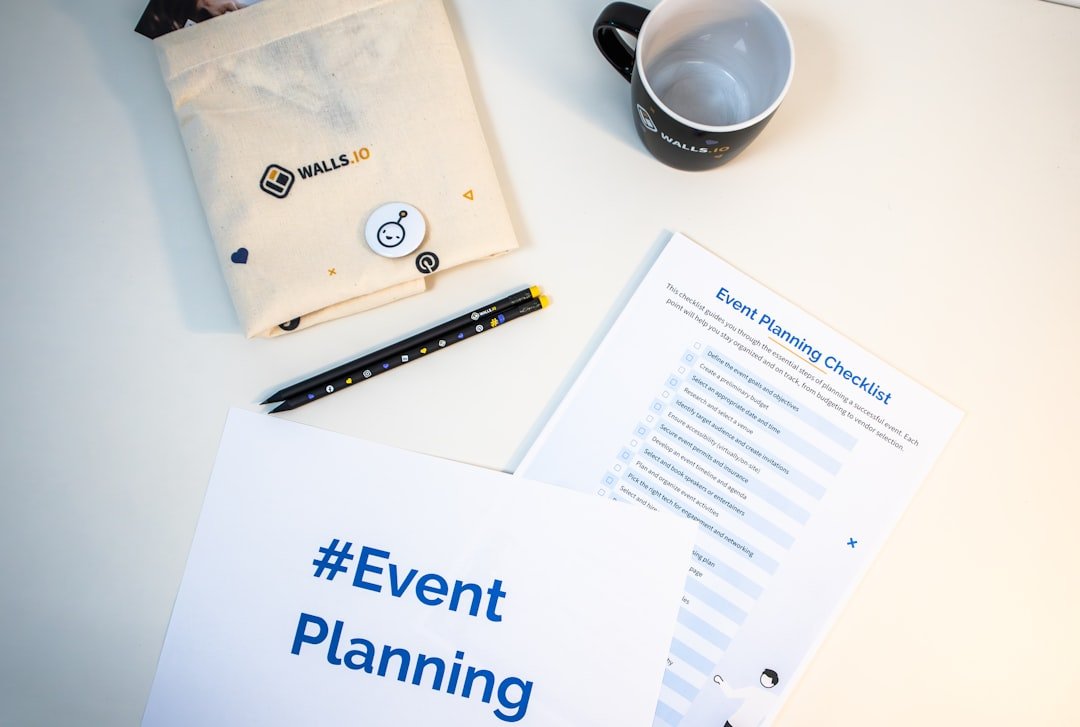
Whether you’re organizing a big conference, a regular fitness class, or a small workshop, scheduling effectively can be very difficult. A good WordPress event scheduling plugin can help you and your guests by streamlining the entire process. These plugins automate crucial tasks, lower human error, & free up your time for more crucial things rather than juggling spreadsheets, email chains, & manual updates. In essence, they make event management less stressful and more effective overall by bringing order to the chaos. Selecting the ideal plugin is not a one-size-fits-all process.
A tech conference might not benefit from what works for a yoga studio. Finding the ideal solution for your unique requirements entails doing some research and figuring out what features are actually necessary for you. What a Plugin Should Contain. Make sure you know exactly what you need before you even begin searching the WordPress plugin directory.
If you’re looking to enhance your WordPress site with effective event scheduling capabilities, you might find it useful to explore related resources that can guide you in selecting the best plugins for your needs. One such resource is an article that discusses various website design and hosting packages, which can complement your event scheduling plugin by ensuring your site runs smoothly and efficiently. You can read more about it in this article: Website Design and Hosting Packages.
Consider your internal procedures, audience, and event types. Beyond Simple Calendars: Essential Features. A calendar can be added by anyone to their website. There is much more to a good event scheduling plugin than just showing dates.
Strong features for planning, organizing, and showcasing your events should be included. Easy Event Creation: Is it possible to add new events with all the required information, including locations, dates, times, descriptions, and photos? Recurring Events: Is it possible for the plugin to manage recurring schedules without requiring you to reenter everything every time, such as weekly classes or monthly meetings?
Check out our new Booking Site at https://www.facebook.com/epoweronlinemarketing/.
Different Event Types: Does it distinguish between different types of events, maybe with unique fields for each, such as “workshop” vs. “webinar”? Front-end Submission: Are users able to submit their own events for approval for multi-vendor websites or community gatherings? User Experience: For You and Your Guests. Both your team and prospective attendees will be turned off by a cumbersome interface. The plugin ought to be simple to use and intuitive. Admin Dashboard Simplicity: Can you quickly find and edit events, manage reservations, and view reports?
If you’re looking to enhance your WordPress site with an effective event scheduling plugin, it’s essential to consider how content plays a crucial role in attracting and engaging your audience. A well-structured event page can significantly boost your online presence, making it easier for users to find and participate in your events. For more insights on the importance of content in digital marketing, check out this informative article on content strategy. This resource can help you understand how to optimize your event listings and overall website performance.
Is the backend user-friendly? Attendee Booking Process: Is it easy for attendees to locate events, choose a time slot, & finish the registration or booking process? Too many steps or unclear forms will result in registrations being dropped.
Mobile responsiveness: Many people use their phones for booking & browsing. The booking forms and front-end display of the plugin must look good and work flawlessly on all screen sizes. Playing well with others is one of the integration capabilities.
Your plugin for event scheduling will not function in a vacuum. It must function flawlessly with the other tools you use. Payment Gateways: The plugin must work with well-known payment processors like Stripe, PayPal, or WooCommerce if you charge for events. Email marketing: Is it compatible with your e-mail marketing service?
A g. Mailchimp, Constant Contact) to deliver promotional emails, reminders, or updates to attendees? CRM Systems: Is it possible to transfer attendee data for relationship management by linking with your CRM for more sophisticated operations? Zoom/Video Conferencing: Does it automatically create meeting links and distribute them to registered attendees for online events by integrating with platforms such as Zoom? Customization Choices: Creating Your Own.
Your event display ought to reflect your website’s brand. Styling Options: Is it possible to simply alter the look of calendars, event listings, and booking forms to correspond with the colors and theme of your website without knowing how to code? Custom Fields: Can you add custom fields to your booking forms if you need to gather particular data from attendees? Templating: Does it provide template overrides for further customization for more experienced users?
Support and Documentation: When Something Goes Wrong (or You Have a Question). There can be problems with even the best software. Strong support is very beneficial. Responsive Support Team: Do they provide prompt, helpful assistance when you run into problems? Extensive Documentation: Are there tutorials, FAQs, or a comprehensive knowledge base that can assist you in learning new features or troubleshooting typical issues?
Updates and Maintenance: Does the plugin receive frequent updates to fix security flaws & guarantee compatibility with the most recent WordPress versions? The actual work of configuring your events starts after you’ve selected a plugin. The way you organize your event details is crucial to making it simple for guests to comprehend and sign up. Instead of putting all the information in one block, break it down logically.
Creating Captivating Event Titles. The title of your event appears first. It must be engaging, succinct, & clear. Be Informative and Specific. Don’t use ambiguous titles like “Workshop.”.
Consider reading “Introduction to Digital Marketing for Small Businesses” or “Advanced Yoga Flow: Mastering Arm Balances” instead. The “. Put keywords in there. Consider the search terms that people might use. The city should be mentioned if it’s a local event.
If it’s about a particular subject, make sure the title makes that clear. Keep it brief. Don’t make it a paragraph even though it is informative. Strive for impact & clarity in the fewest possible words. thorough descriptions of events.
You sell your event here. Consider it as your event’s sales page. Make a strong hook your first step.
Seize the moment. What issue does your event address, and what benefits does it provide? What attendees will discover and experience.
List the advantages in clear terms. Describe the results that attendees can anticipate rather than just a list of topics. For instance, “Learn how to build a responsive WordPress website” instead of “Building a WordPress website.”. A “.
For whom is it intended? Decide who your target audience is. This saves you time later by assisting prospective attendees in quickly determining whether the event is relevant to them and in discouraging those who might not be a good fit. schedule or itinerary.
A clear schedule should be provided for longer events. Organize it according to speakers, topics, & time slots. This helps guests plan their day and controls expectations.
Bios of speakers (if relevant). Introduce any instructors or guest speakers you have. Incorporate their experience and qualifications to create excitement & trust. Practical Information. Remember these things.
Location: Complete address, whether it’s hybrid or online (with platform information like Zoom). Date and Time: Clearly restate the event schedule. Cost: Clearly state the price, including any package discounts or early bird discounts, if applicable. What to Bring: Any particular items that guests may require (e.g. (g). laptop, yoga mat, & bottle of water).
Prerequisites: Any experience or prior knowledge needed. Custom Fields and Categories are used. For improved searchability & organization, categories and custom fields are your best friends. Event Categories for Simple Filtering.
Create categories based on the kinds of events you have. Examples include “workshops,” “conferences,” “webinars,” “classes,” and “meetups.”. Attendees can quickly find what they’re looking for by filtering events.
Personalized fields for particular data. Use custom fields to gather specific, structured data that doesn’t fit into the typical description, if your plugin permits. Speaker Name: Create a separate field for it rather than including it in the description. Level of the Session: Beginner, Intermediate, Advanced.
Technical workshops require the following skills. COVID-19 Protocols: Any particular medical recommendations. Sponsors: For conferences or more significant gatherings. Making it as easy as possible for people to sign up is the aim. Registrations can be lost at any point of friction.
Consider it from the viewpoint of the attendee. Easy and Natural Forms. In terms of forms, it’s usually better to use less. Ask only for information that is necessary. Required fields are minimal.
When registering for the first time, only request the things you absolutely need (e. A g. (name, email). If you need more specific information, you can always gather it later. Make a call to action clear.
Make the “Register,” “Book Now,” or “Sign Up” buttons clear and conspicuous. Multi-step forms’ progress indicators. If your form is lengthy, divide it into manageable steps and display a progress bar. Users are kept from feeling overburdened and perceived effort is decreased as a result. Flexible options for pricing & ticketing.
Different pricing strategies are needed for different audiences and events. Early Bird Deals. Tiered pricing can be used to encourage early registration. Collective discounts. Encourage several people from the same family or organization to attend.
tiers of membership. Give members of your organization access or special pricing. Various Ticket Types. For instance, “Online Access,” “VIP,” “General Admission,” and “Student Discount.”.
This enables you to serve various audience segments. Payments are processed securely. Reliable and secure payment methods are essential if you are charging for events. Reputable gateway integration.
Make sure your plugin works with well-known & reliable payment gateways such as sq\., PayPal, Stripe, or WooCommerce Payments. Clearly visible pricing. Before the user confirms their purchase, the final price—including any taxes or fees—should be made clear. Receipts and confirmation. Send a thorough receipt & an email confirmation as soon as the payment has been made.
Automatic alerts and reminders. Here’s where automation really shines—it lessens your manual labor and enhances the experience for attendees. Emails for instant confirmation. An email confirming registration & providing all important event information should be sent to the person as soon as they register.
Pre-Event Alerts. A few days or hours prior to the event, send out automated reminders. These can include instructions for in-person events, a link to the event (for online events), & any preparations attendees may need to make. Follow-ups after an event. Send out a thank-you email, ask for feedback, or provide details about upcoming events after the event.
Having a great event is one thing, but people need to know about it and stay informed. You should be able to keep attendees interested & spread the word with your plugin. Using SEO to Increase Event Visibility. Make it easy for search engines to find your events, which in turn makes it easy for potential attendees. Permalinks specific to an event.
Ensure your event pages have clean, descriptive URLs (e. A g. events/digital-marketing-workshop at yourwebsite . com). Event descriptions that are optimized.
Use relevant keywords in your event titles and descriptions. Think about what people would search for. Schema Markup. A good plugin should ideally implement event schema markup (structured data) automatically. This helps search engines understand your event details better and display them prominently in search results (e.
g. , as rich snippets directly showing date, time, and location). Seamless Social Media Sharing. Make it simple for attendees & visitors to share your events across their networks.
Built-in Sharing Buttons. Include easy-to-use social media sharing buttons on your event pages (Facebook, Twitter, LinkedIn, etc. (). Optimized Social Previews. When an event link is shared, ensure the social media card displays an appealing image, clear title, and concise description. Email marketing with integration.
One of your best resources for promoting an event is your email list. Email services are directly integrated. Ideally, your plugin can directly integrate with services like Mailchimp or ConvertKit to add registrants to specific lists or send event-specific campaigns. Adaptable templates for emails. Use professional-looking email templates for confirmations, reminders, and follow-ups.
Make sure they clearly communicate all relevant information & are branded. opportunities for segmentation. To send targeted communications, try to segment your email lists according to events attended, interests, or registration status.
Calendar Integration: Google Calendar and iCal. Easily add your event to attendees’ personal calendars. Buttons to Add to Calendar.
Give guests an easy-to-use button to add the event straight to their Apple Calendar (iCal), Google Calendar, or Outlook. As a result, fewer people show up. Calendar updates are done automatically. Though this is frequently more complicated, think about how your plugin can help attendees update their individual calendars if event details change.
When the event is over, the work doesn’t end. Your subsequent insights are essential for ongoing development. A good plugin offers resources to assist you in doing this. thorough reporting and analytics. Understanding event performance is key to making informed decisions for future events. monitoring attendance.
Easily compare the number of attendees with the number of registrants. This aids in determining the no-show rates. trends in registration. Track the trends in registration over time.
When do most people register? Is early bird pricing effective? tracking revenue.
Keep tabs on ticket sales, revenue for each type of ticket, and total revenue for paid events. The rates of conversion. Recognize the number of website visitors who register for events. geographic information.
Examine your attendees’ perspectives if applicable. Future marketing initiatives can benefit from this. Getting input for upcoming enhancements. Gaining knowledge from your attendees is priceless.
surveys conducted after an event. After the event, send automated feedback surveys using the plugin’s integration (or a third-party tool like SurveyMonkey or Google Forms). Inquire about the experience overall, the speakers, the venue, & the content. Reviews and testimonials. Invite guests to write reviews or testimonials so you can use them for future advertising. Finding Opportunities for Development.
Determine what worked and what needs to be changed by using the feedback. Was the networking session too brief? Was the material sufficiently interesting?
Make decisions based on data. Your future event planning should be directly impacted by the data you gather. modifying the event’s content. Make adjustments to your topics, speakers, or format in response to feedback.
modifying marketing tactics. The next time, devote more resources to promotional channels that performed better. Ticketing and pricing optimization.
To improve your pricing tiers and discounting tactics, use revenue data. Enhancing Event Planning. Use feedback to fix any problems with the venue, registration process, or communication for the following event. In summary, a powerful WordPress event scheduling plugin is about radically changing the way you organize, market, and carry out your events—it’s not just about putting events on a calendar. By choosing the right tool, structuring your information clearly, simplifying the booking process, enhancing communication, and analyzing post-event data, you’re not just scheduling events – you’re building a more efficient, engaging, & successful event management system that saves you time and delivers better experiences for your attendees. It’s a wise investment that boosts your output & the impact of your event.
.
FAQs
What is a WordPress event scheduling plugin?
A WordPress event scheduling plugin is a tool that allows users to create and manage events on their WordPress website. It typically includes features such as event registration, ticket sales, calendar display, and event management.
How does a WordPress event scheduling plugin work?
A WordPress event scheduling plugin works by integrating with the user’s WordPress website and providing a user-friendly interface for creating and managing events. Users can typically add event details, set event dates and times, sell tickets, and display events on their website.
What are the benefits of using a WordPress event scheduling plugin?
Using a WordPress event scheduling plugin can help website owners streamline the process of creating and managing events. It can also provide a professional and organized way to display events to website visitors, and can help with tasks such as event registration and ticket sales.
What features should I look for in a WordPress event scheduling plugin?
When choosing a WordPress event scheduling plugin, it’s important to look for features such as event registration and ticket sales, calendar display, customizable event pages, email notifications, and integration with payment gateways.
Are there any popular WordPress event scheduling plugins available?
Yes, there are several popular WordPress event scheduling plugins available, such as The Events Calendar, Event Espresso, and All-in-One Event Calendar. These plugins offer a range of features and customization options to suit different needs.

